


Upload Unlimited .Mp3,.MP4,.3gp,.FLV,.Swf(Flash),.Zip,.txt(Notepad) And Other Files, For Free

In This Tutorial i show you how to Upload Unlimited .Mp3,.Mp4,.3gp,.FLV,.Swf(Flash),.Zip,.txt(Notepad) And Other Files Free ....
Why I Upload Files ?
If you want to add
any software or mp3,mp4 songs download link from your PC to your site
or blog , than Upload the file and now you can easily to add download
link to your site or blog...
Let's Know How to Upload files free!
- First Go to sites.google.com
- Sign Up With your google account
- Click On " Create" For the creating site .

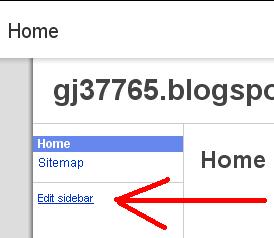
- after crate a site click on " Edit Sidebar"
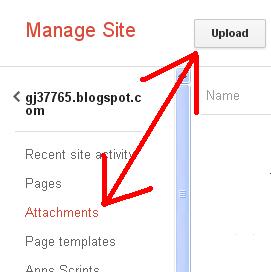
- Go to Attachments And click on Upload Button To upload any files .. you want..
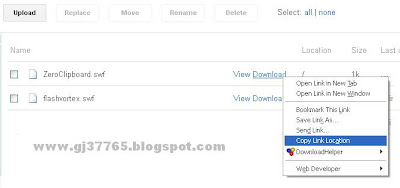
- When the file upload, than ,Right Click on the "Download" button and select copy link location
- Now paste the download link ,where you want to show Download option in you blog or site...

- Now you have done.... Enjoy


